
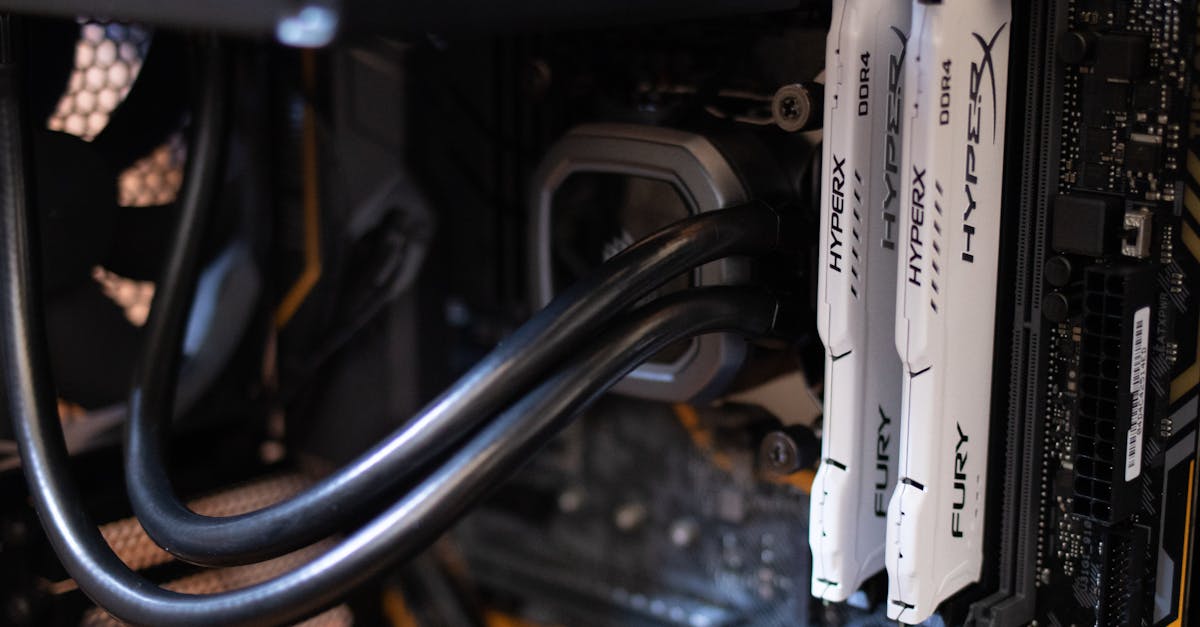
What RAM to Use
Choosing RAM is less about picking a favourite and more about buying what your PC can actually use.
Your motherboard and CPU usually decide the big things first:
- DDR generation: DDR3, DDR4, or DDR5
- Form factor: DIMM or SO-DIMM
- ECC support: if applicable
What you normally get to choose is the rest: capacity, speed, timings, and whether you want one stick or a matched pair.
That matters, but not equally. For most people, enough RAM is the first priority. After that, aim for a sensible speed for your platform and do not pay silly money for tiny gains.
First, check what your system supports
Before looking at any kit, confirm these basics:
- DDR generation your system uses
- DIMM or SO-DIMM
- Maximum supported capacity
- Supported speeds
- ECC or non-ECC
You cannot mix DDR generations. A DDR4 system does not take DDR5, and a DDR3 board is not secretly waiting for a modern upgrade. The slots are different, the electrical requirements are different, and the memory controller has to support the standard in the first place.
If you are upgrading a laptop or prebuilt PC, check the manual or manufacturer specs. Guessing is a good way to buy RAM twice.
DDR3 vs DDR4 vs DDR5
These are different generations of memory. Newer generations offer more bandwidth and usually higher module capacities, but they are not interchangeable.
DDR3
DDR3 belongs to older desktops and laptops.
It is still usable for light work:
- web browsing
- office tasks
- media playback
- older games
Where DDR3 starts to feel dated is modern gaming, heavier multitasking, and workloads that lean hard on memory bandwidth or need lots of capacity. If you have an older DDR3 system, the sensible move is usually to add enough RAM to make the machine comfortable, not to expect miracles from tuning it.
DDR4
DDR4 has been the mainstream standard for years and is still common for both new-ish and older systems.
For most people, DDR4 remains perfectly adequate for:
- gaming
- home and office use
- schoolwork
- moderate content creation
- general multitasking
It is mature, widely available, and usually easier on the budget than DDR5. A decent DDR4 kit with enough capacity is often a better choice than an ultra-fast kit bought mostly for bragging rights.
DDR5
DDR5 is the current standard on newer platforms.
It offers higher bandwidth than DDR4 and tends to make the most sense in:
- new gaming builds on current platforms
- higher-end productivity PCs
- heavy multitasking systems
- workstations with large projects or data-heavy software
DDR5 can improve gaming performance, but the size of that improvement depends heavily on the rest of the system. In CPU-limited games, faster memory can help. At higher resolutions, where the graphics card is doing most of the heavy lifting, the gap often shrinks.
DIMM and SO-DIMM
This part is straightforward.
DIMM
DIMM is the full-size RAM used in most desktop PCs.
If you are building or upgrading a standard tower desktop, this is what you are looking for.
SO-DIMM
SO-DIMM is the smaller format used in many laptops and mini PCs.
If the machine takes laptop-style removable RAM, it will usually be SO-DIMM.
DIMM and SO-DIMM are not interchangeable, even if both are DDR4 or both are DDR5. Same family, different shape, different slot.
Also worth checking: some laptops have soldered memory instead of removable modules. In those systems, the upgrade path is mostly wishful thinking.
ECC RAM: who actually needs it
ECC stands for Error-Correcting Code memory. It can detect and correct certain memory errors automatically.
That is useful in systems where stability and data integrity matter more than raw value:
- servers
- workstations
- systems running virtual machines all day
- scientific or technical workloads
- business-critical machines
- long-running compute jobs
For a normal home or gaming PC, non-ECC RAM is usually the right answer. It is more common, usually cheaper, and widely supported on consumer platforms.
ECC is about reliability, not extra speed. It is not a gaming upgrade. Your frame rate will not salute respectfully because you bought workstation memory.
RAM speed: how much it matters
RAM speed is shown as ratings like:
- DDR4-3200
- DDR4-3600
- DDR5-5600
- DDR5-6000
Higher numbers mean more bandwidth. That can help when the CPU or integrated graphics needs to move data through memory quickly.
Where faster RAM can make a noticeable difference:
- CPU-limited gaming
- integrated graphics, which use system RAM as video memory
- some content creation tasks
- code compilation
- compression
- certain simulation or productivity workloads
Where it usually matters much less:
- web browsing
- office apps
- video streaming
- general desktop use
- gaming scenarios where the GPU is already the bottleneck
This is why RAM speed discussions often sound more dramatic online than they feel on an actual PC. Faster RAM can help. It just is not usually the first thing holding a system back.
RAM timings, without the ceremony
Timings are the delay values on a RAM kit, often shown as something like CL16 or CL30.
Lower timings mean lower latency, all else being equal. The catch is that speed and timings have to be considered together. A kit with a higher data rate and looser timings can still outperform a slower kit with tighter timings.
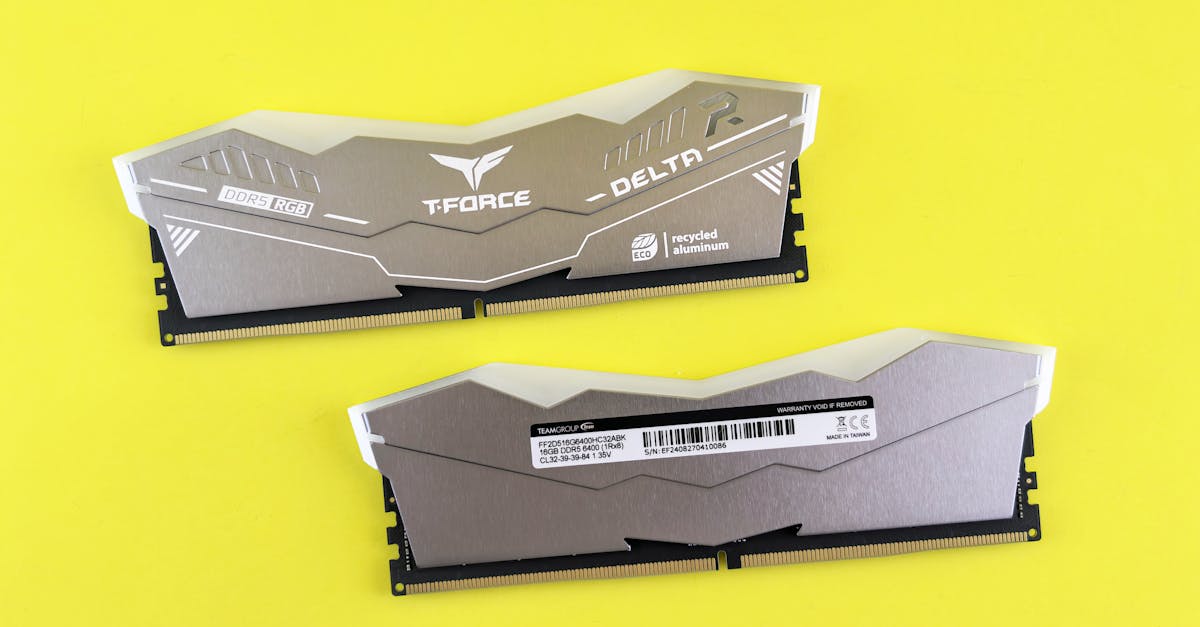
So yes, timings matter. Usually not enough to obsess over unless you are tuning a performance build and the prices are close.
For most buyers, the sensible approach is:
- avoid unusually slow kits
- avoid badly overpriced “enthusiast” kits
- buy RAM that suits the platform and budget
- prioritise capacity before chasing tiny latency gains
You do not need to become a part-time memory analyst to buy decent RAM.
Capacity matters more than speed for most people
This is the part people underestimate.
A PC with too little RAM starts leaning on the storage drive as overflow memory, which is much slower. That is when the whole system begins to feel sticky, especially with lots of apps or browser tabs open.
8GB
Still workable for:
- very basic use
- office tasks
- light browsing
- older systems
It is not a great fit for modern gaming or heavier multitasking.
16GB
For most people, this is the current baseline.
It suits:
- mainstream gaming
- home and office use
- schoolwork
- general multitasking
If you are buying a general-purpose PC today, 16GB is the safe starting point.
32GB
This makes sense for:
- newer games with background apps running
- streaming while gaming
- content creation
- development work
- larger photo or video projects
- people who routinely have far too many things open
64GB and above
This is mostly workstation territory:
- heavy video editing
- 3D work
- virtual machines
- simulation
- large datasets
- professional workloads with genuinely high memory use
More RAM is only useful if your workload can use it. There is no prize for having 128GB to browse the same four websites.
What to buy for different uses
Here is the simple version.
Basic home or office PC
Aim for 16GB if the system supports it.
If you are upgrading an older DDR3 or DDR4 machine for email, documents, and web use, adding enough memory will usually do more than buying a slightly faster kit.
Gaming PC
Start at 16GB.
Go to 32GB if you play newer games, multitask heavily, stream, or want more headroom.
For the RAM itself:
- on DDR4, a sensible mid-range kit is usually the sweet spot
- on DDR5, balanced speed and timings are usually better value than chasing the fastest number on the shelf
If the budget forces a choice between slightly fancier RAM and a better graphics card, the graphics card usually deserves the money more.
Laptop upgrade
Check three things before buying anything:
- does it use SO-DIMM or soldered memory?
- how many slots are there?
- what capacity and speed does it support?
A jump from 8GB to 16GB is often very noticeable on a laptop. A jump from one decent RAM speed to a slightly higher one often is not.
Content creation and heavier work
For video editing, development, large spreadsheets, 3D work, and similar tasks, 32GB is a sensible place to start. For serious professional workloads, 64GB or more may be appropriate.
Speed can help, especially on newer platforms, but once projects get large, capacity tends to matter more.
Workstation or reliability-focused system
If the machine is doing scientific work, business-critical tasks, virtualisation, or long compute jobs, prioritise:
- platform compatibility
- stability
- enough capacity
- ECC, if the system supports it
This is the boring answer, which is exactly what you want from a workstation.
One stick or two?
Most systems perform better with two matching RAM modules than with one, because they can run in dual-channel mode.
Common examples:
- 2x8GB is often better than 1x16GB
- 2x16GB is often better than 1x32GB
Dual-channel can improve:
- gaming performance
- integrated graphics performance
- some memory-sensitive workloads
Not every system behaves the same way, and some laptops have unusual slot layouts, so it is still worth checking the manual. But in general, matched pairs are the safer bet.
The sensible answer
Use the RAM your system supports, buy enough of it, and then worry about speed.
If you want a quick rule of thumb:
- DDR3: only for older systems
- DDR4: still a strong choice for many PCs
- DDR5: the right fit for newer platforms and higher-end builds
- DIMM: desktop PCs
- SO-DIMM: laptops and many mini PCs
- ECC: for workstations, servers, and reliability-focused systems
- 16GB: solid baseline for most people
- 32GB or more: better for heavier gaming, creation work, and demanding multitasking
Most RAM buying mistakes are not about timings or a missing 200 MT/s on the spec sheet. They are much simpler: buying the wrong type, buying too little, or paying extra for specs the machine will barely notice.
Leave a Reply